MCP (Beta)
The Tributech Node can be accessed in three ways: the REST API, Webhooks, and — described here — the Model Context Protocol (MCP) server. The MCP server lets AI assistants and MCP-capable tools interact with your Tributech Node through a standardized interface.
The MCP Server is currently an opt-in Beta feature. It has to be enabled for your Tributech Node by the Tributech team before it can be reached — please contact Tributech to request access.
Overview
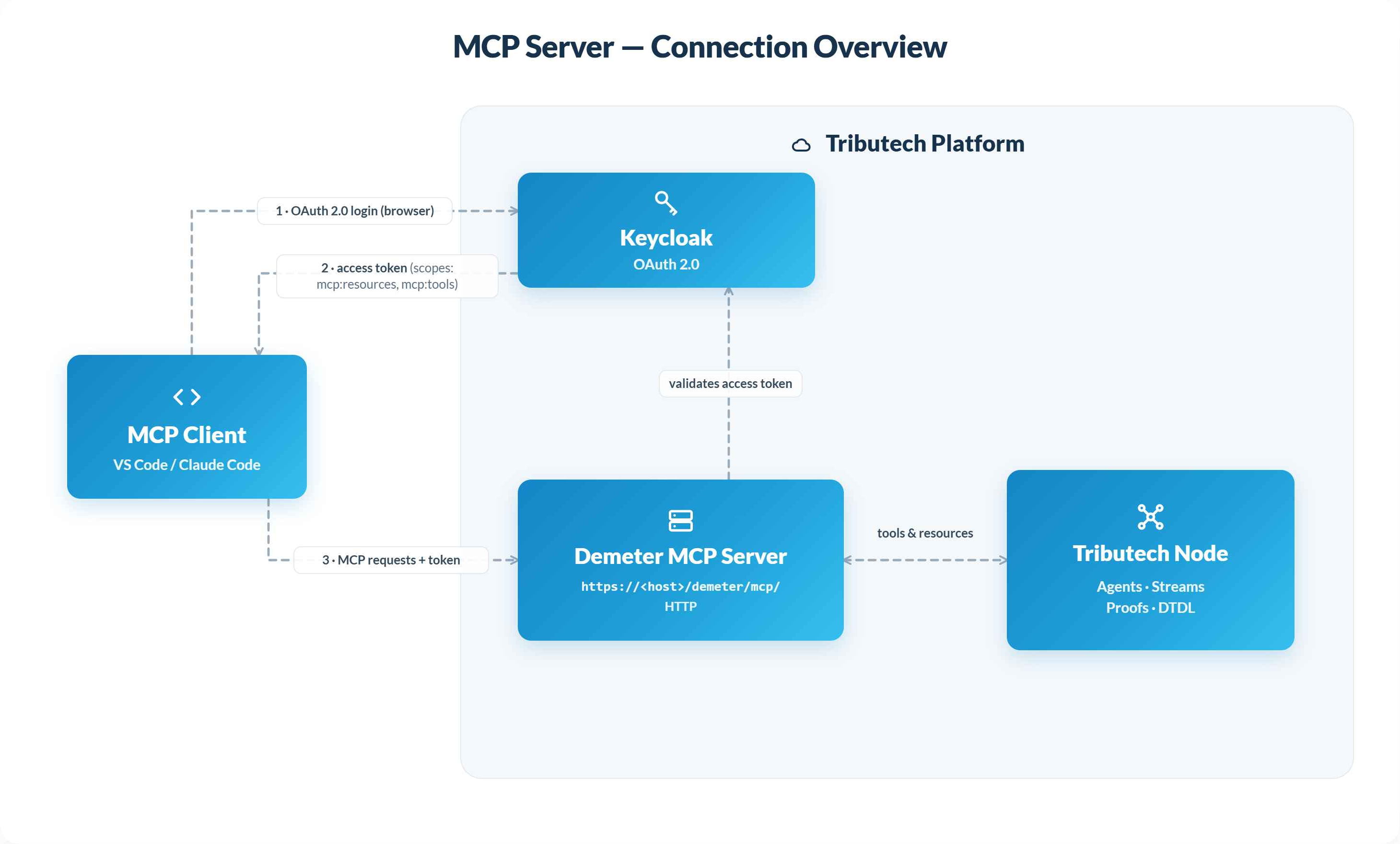
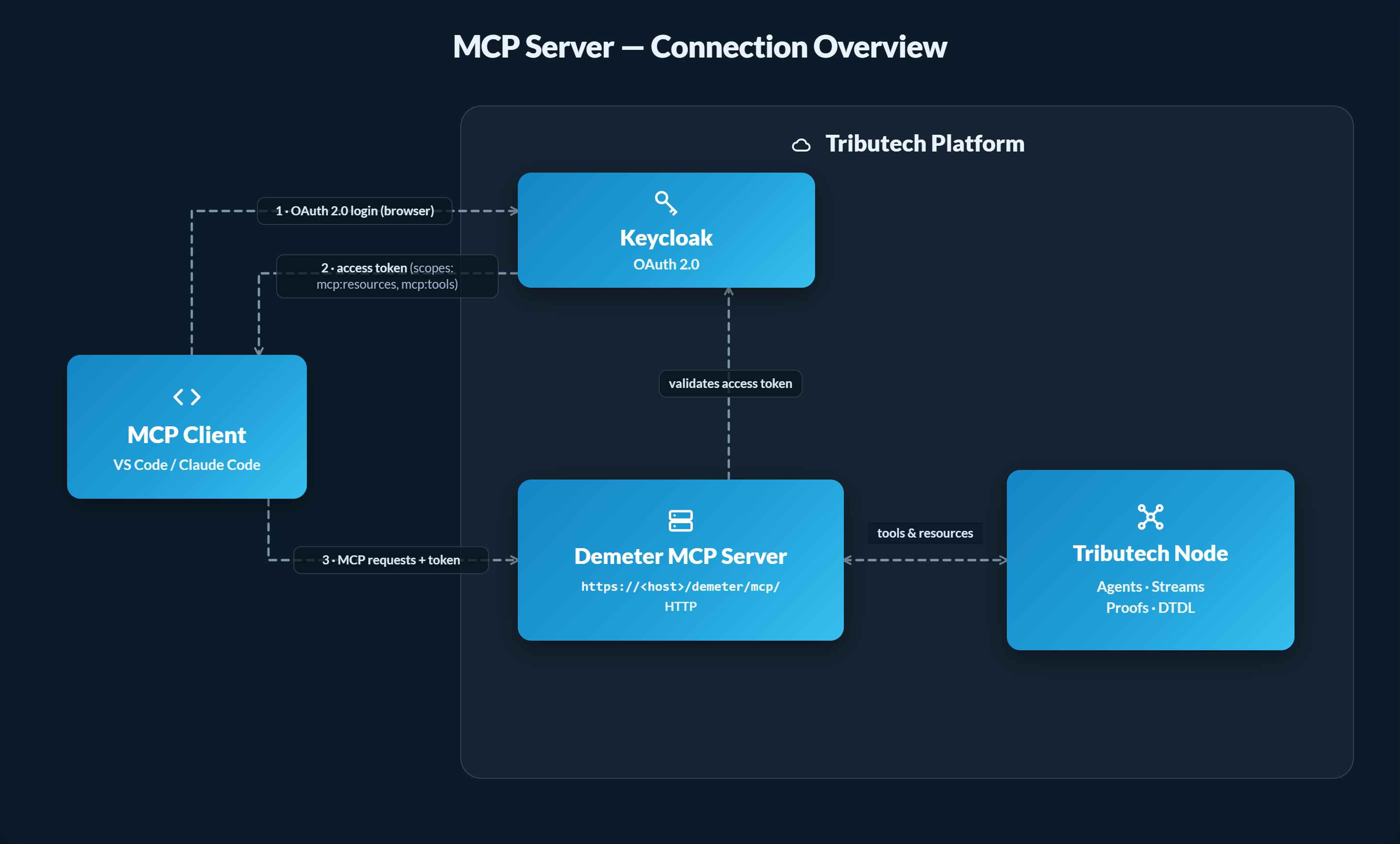
Model Context Protocol (MCP) is an open standard that lets AI clients discover and call the tools and resources a server exposes. The Tributech MCP server runs in the Tributech backend and exposes Node operations — such as listing agents, reading stream data and proofs, and managing the Digital Twin configuration — as MCP tools, so an MCP-capable client can query and operate your Node in natural language.
Prerequisites
- A running Tributech Node with the MCP server enabled (see the Beta note above).
- The MCP endpoint URL for your environment (provided by Tributech).
- An MCP-capable client — this guide covers VS Code and Claude Code.
Connection details
The MCP server uses HTTP transport with OAuth 2.0 authentication (handled by the Tributech Keycloak instance). The same values are used for every client:
| Setting | Value |
|---|---|
| URL | https://<host>/demeter/mcp/ |
| Transport | HTTP |
| Authentication | OAuth 2.0 (Keycloak) |
| Client ID | demeter-mcp |
| Client secret | none |
| Scopes | mcp:resources, mcp:tools |
Replace <host> with your environment's hostname (e.g. dev-x.tributech-node.com). On the first connection your client opens a browser window for the OAuth login; after authenticating, the server is registered and ready to use.
Connecting a client
There are several clients that can work with the MCP server. We provide guidance for two common ones below; this section may change as those clients are updated.
VS Code
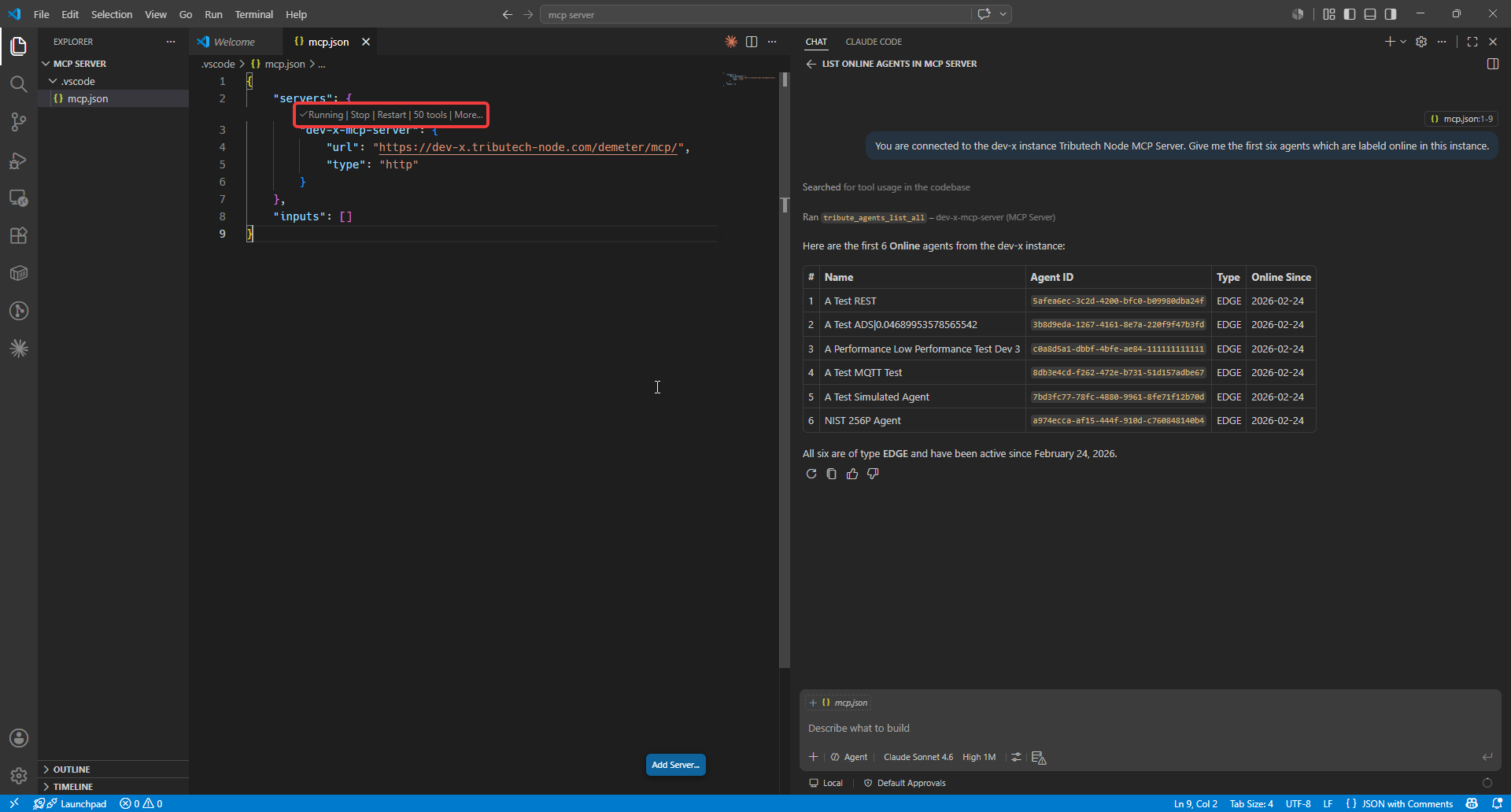
- Open the command palette (
F1) and runMCP: Add Server. - Choose HTTP and enter the URL
https://<host>/demeter/mcp/. - When prompted, set the Client ID to
demeter-mcpand leave the Client secret empty. - Allow the connection and sign in with your Tributech Node user name and password.
- After the redirect, the server should show as Running.
Claude Code
Claude Code connects to the MCP server from the terminal (requires Node.js 18+ and Claude Code installed).
Run the following in your terminal, replacing <host> with your environment's hostname:
claude mcp add --transport http --client-id demeter-mcp --callback-port 8080 --scope user demeter https://<host>/demeter/mcp/
On first connection Claude Code opens a browser to complete the OAuth login. The --callback-port 8080 option fixes the OAuth redirect to http://localhost:8080/callback, which is already registered in Keycloak — so no extra Keycloak configuration is required.
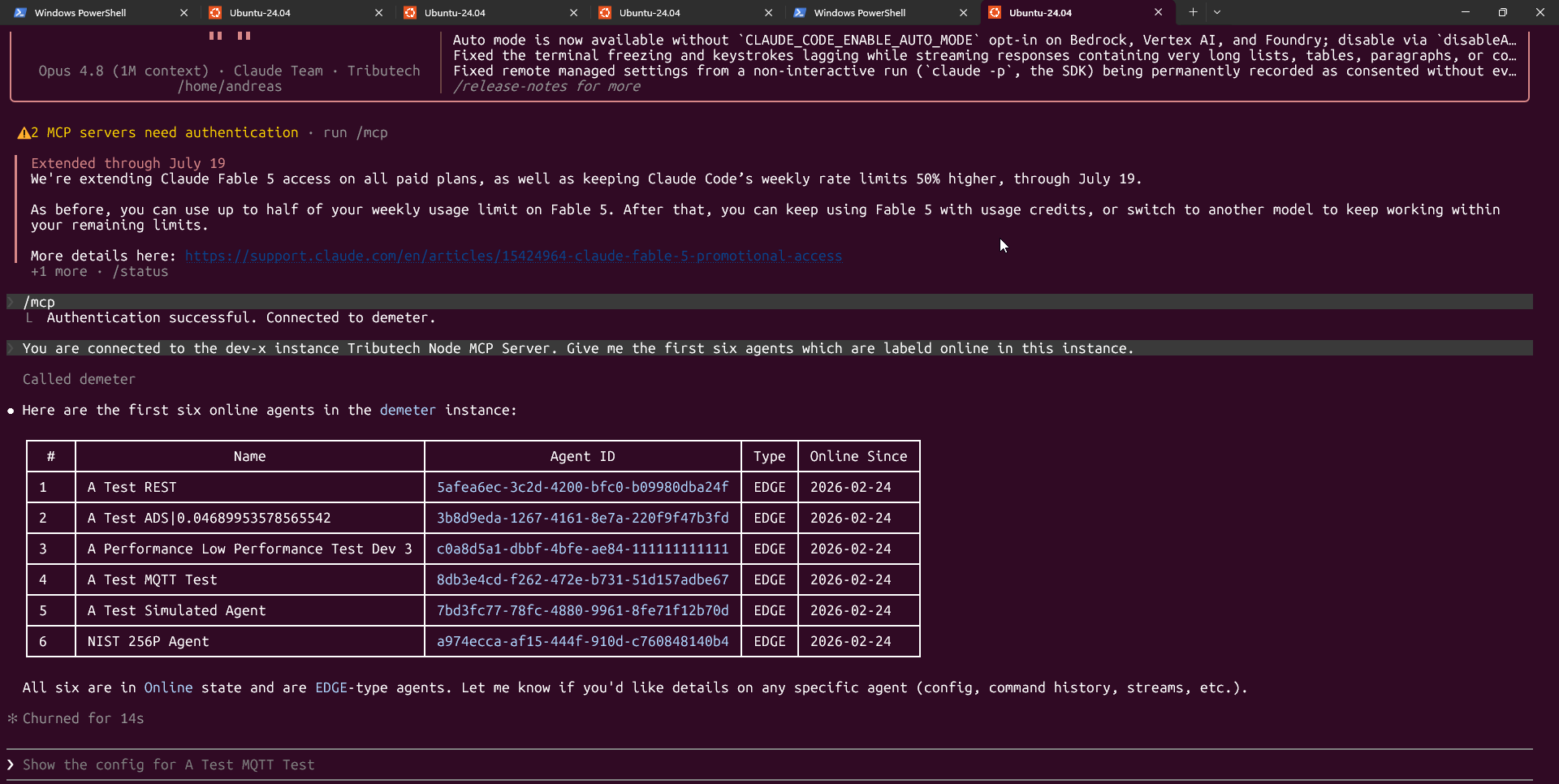
Verify the connection from inside the Claude Code console:
/mcp
The demeter server should be listed as connected, and its tools and resources are then available to Claude.
Available tools
The MCP server exposes the Node's operations grouped by area:
| Area | Examples |
|---|---|
| Agents | list agents, get agent, activate / block / delete, get & update configuration, command & enrollment history |
| Enrollment groups | list, create, update, activate / deactivate, delete |
| Streams & proofs | read latest & historical stream data, list & validate proofs |
| Digital Twin (DTDL) | read & update the twin graph, add / update / delete instances, models and relationships |
The exact set of available tools may change as the feature evolves.